Singleton Design Pattern comes under Creational Design Pattern.
This pattern is used when we need to ensure that only one object of a particular class needs to be created. All further references to the object are reffered to the same undelying instance created.
Provide global access to that instance by-
1. Declare all constructor of the class to be private.
2. Providing static method that returns a reference to that instance.
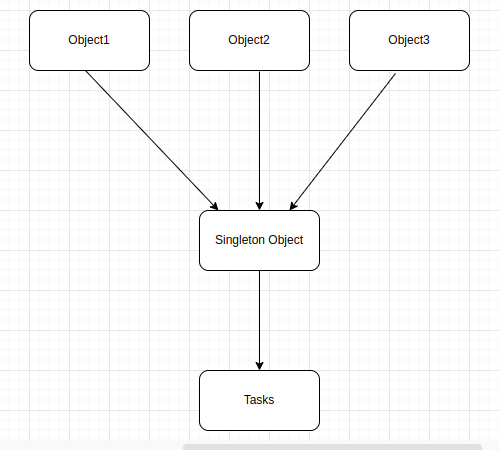
In above image you can see, multiple object are referencing to one Singleton Object to get the task done.
Let’s go through some real life example-
- In your office, you would have seen that all the employees are using the same printer. That means the printer is a shared resource between all the employees. One instance of the printer can be accessible by all the employees.
- Let’s suppose you need to implement a logger in your application, which logs all the required information and stores it, and also prints the number of logs that we are storing. Now, you can see, we need to create a logger library or class that can be shared or accessed by all the multiple functionality.
Advantage of Singleton Design Pattern
- Singleton controlles concurrent access to the resource.
- It seems only one object is available across the application in a controlled state.
- It has static initilaization.
- It’s provide a single point of access to a particular instance, so it is easy to maintain.
Advantage of Singleton Design Pattern
- Unit testing is more difficult(because it introduces a global state into an application). So, might be the case where this object prints different values at different time.
Implementation
Use Case: Implement a logger to logs the required data and information from the application.
Lets’ go through code:
Without Using Singleton Design Pattern
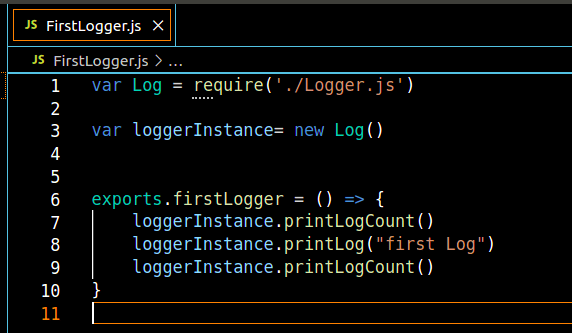
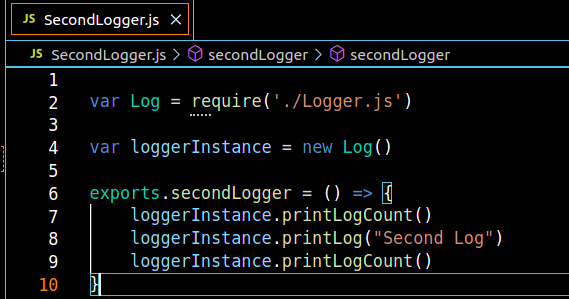
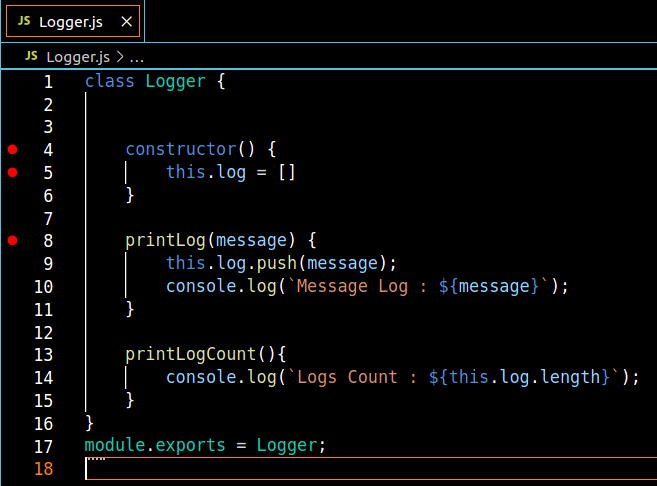
Now, you can see, we have created one class called “Logger” and accessing it into two different class/methods. If you see Image-First Logger and Image-Second Logger, everytime we are creating the instance of Logger class to access the Logger class methods.
Now see the output, when we call Image-First Logger and Image-Second Logger
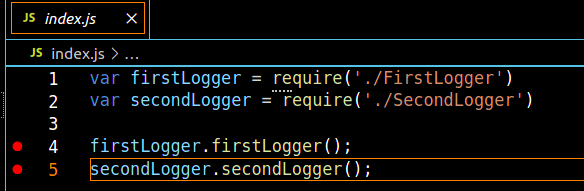
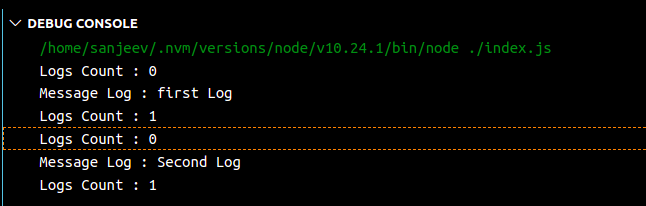
As you can see in Output-Image, every time we create an instance of the Logger Class, which causes the issue that we are not getting a proper log count. In the console, we can see that two different messages are printed, but at the end, only one log (count) is printed.
Let’s Fix this issue with Singleton Design Pattern
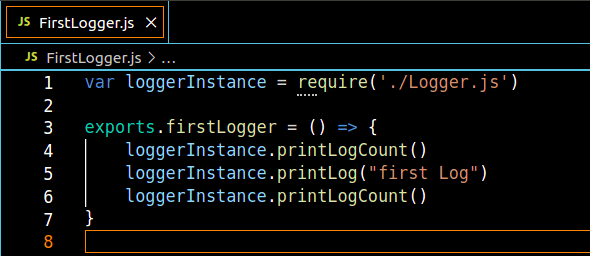
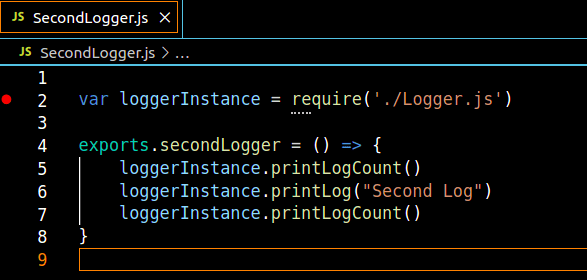
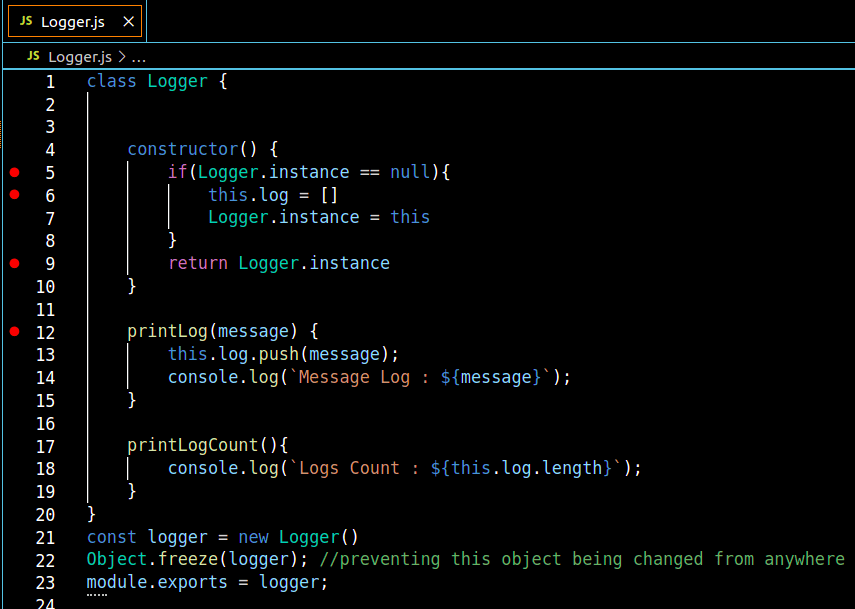
You can see in Image-First Logger1.1 and Image-Second Logger1.1, we removed the code where we were creating instances of the Logger Class. In Image-Logger-Singleton Design Pattern, Line-4, we are checking if an instance of the Logger class is created or not. If not, then we initialised it (Line no. 6) and set the instance for what we are creating (Line no. 7), and the second time it returns Logger.instance (Line no. 9). So every time it creates the single instance of the Logger Class.
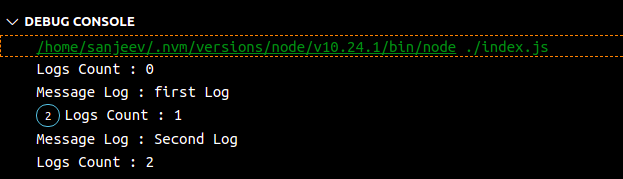
Now in Output-2-Image, you can see that logs Count, it print 2, with both of the log messags from different class.
That’s all 😀
 Sanjeev Jha
Great explanation Sanjeev! Keep it up.
LikeLiked by 1 person
Thanks Rakesh, 🙂
LikeLike